Postman is a widely used API development tool, particularly valued for its built-in support for OAuth 2.0 authorization.
To use OAuth 2.0 in Postman, select the Authorization tab in your request and set the type to OAuth 2.0. Postman will then provide a form to fill in the necessary fields to obtain a token.
Ensure you replace client_id and client_secret with your company's unique values.
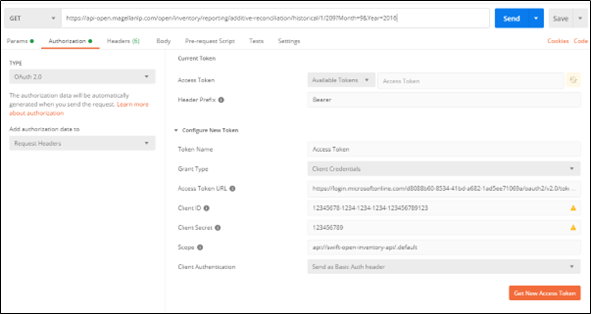
After entering these values, click "Get New Access Token." If successful, a dialog box will confirm the success.
Click Proceed. Postman will then display the token.
Note: By clicking "Use Token" on this screen, Postman will automatically populate the Access Token field for the request, allowing you to simply click "Send."
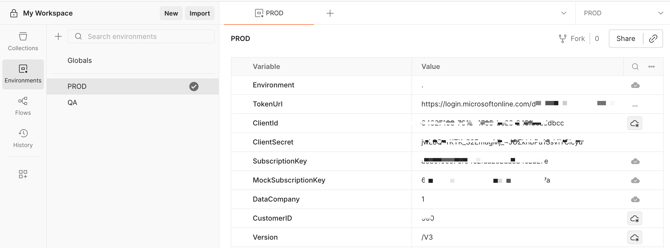
To connect to Swift+ APIs (Postman, Excel, PowerBI, etc) a token needs to be generated.
The following are needed to generate a code:
-
Token Name
-
Access Token URL
-
Client ID
-
Client Secret
-
Scope
To obtain your specific codes, please send a request to SwiftAPIs@oneok.com
Postman has some more detailed information on their website: https://learning.postman.com/docs/sending-requests/authorization/.