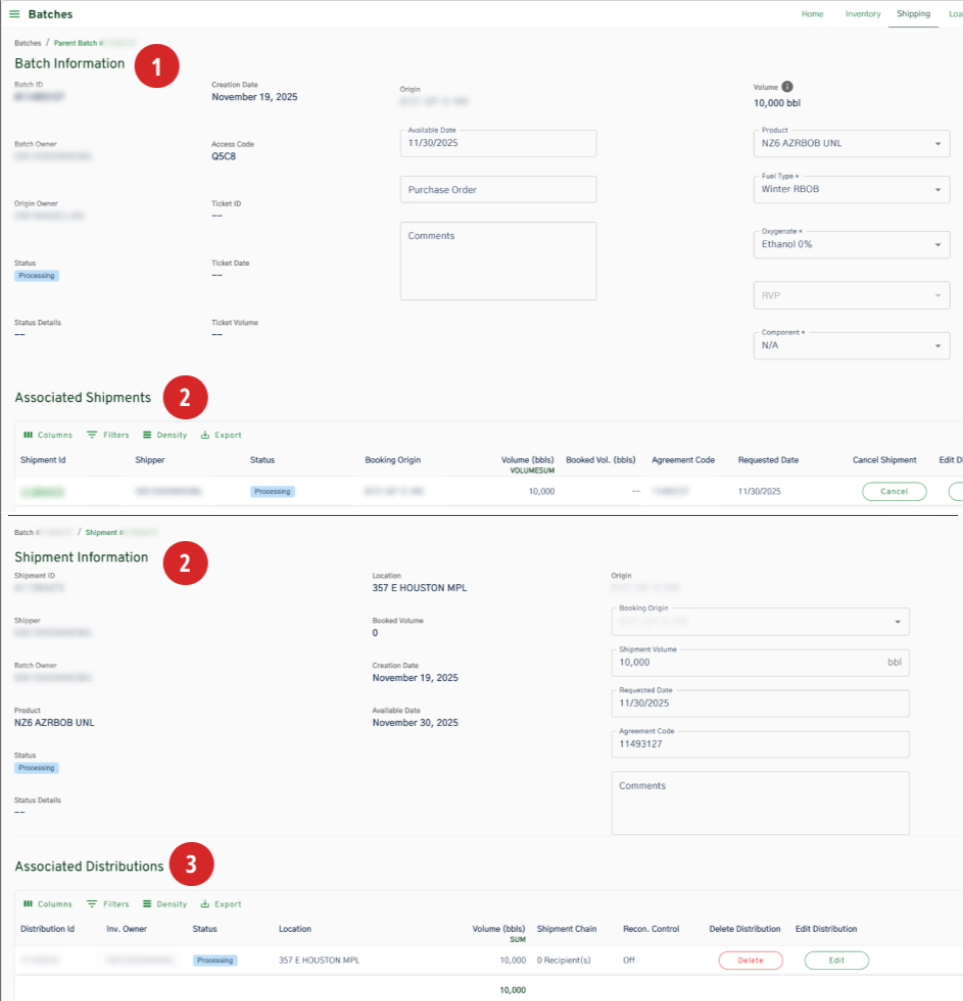
Swift > Batches > Batches Details
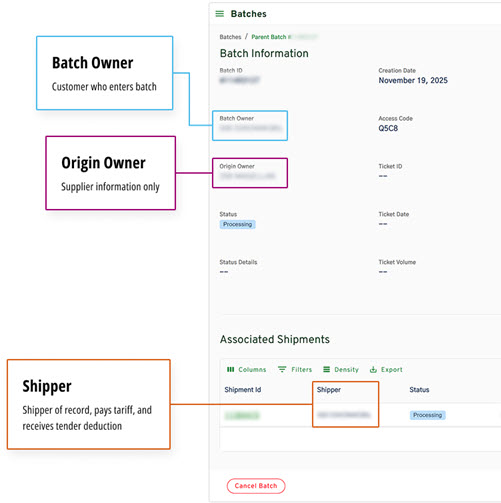
- Origin Owner = This field is automatically determined based on the user's selected Origin. This is displayed for information-only purposes for the Batch Supplier.
- Batch Owner = Customer who sets up the Batch in Swift. This field is automatically selected if the user belongs to only one Refined Products Affiliate ID.
- Shipper = Shipper of Record, Pays the tariff and receives Tender Deduction. Shipper may set up multiple Distributions to reduce reconsignments
Swift > Batches > Associated Distributions
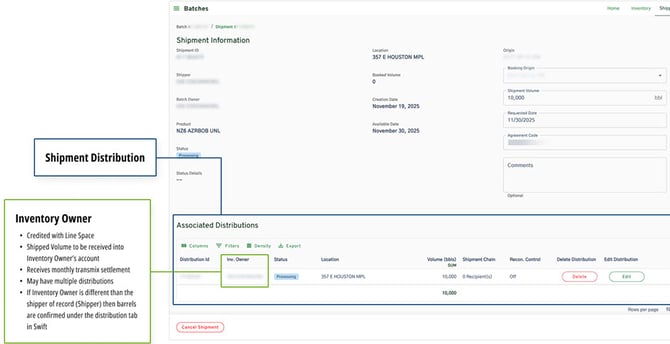
Inventory Owner Cell
- Credited with Line Space
- Shipped Volume to be received into Inventory Owner's account
- Receives monthly Transmix settlement
- May have multiple Distributions
- If Inventory Owner is different than the Shipper of Record (Shipper) then barrels are Confirmed under the Distribution tab