
Quick Action Guide
- Scheduled, Open, Closed
No action required. - Needs Attention
Review and update shipment details to successfully schedule and book. - Cannot Book
Immediate action required. Correct issues or contact Shipper Services.
Status Definitions
What it means
A batch, shipment, or distribution is created and scheduled successfully, but has not yet shipped.
What you should do
No action required

What it means
Shipment is pumping and in transit.
What you should do
No action required
What it means
Shipment(s) finished pumping; the ticket is closed or net.
What you should do
No action required

What it means
The shipment cannot be booked and must be reviewed.
When it occurs
The shipment requested date is more than 7 days from today.
What you should do
Review transaction details for more information.

What it means
The Batch, Shipment, or Distribution needs attention to move to Scheduled status.
When it occurs
A shipment with requested date 7 days or fewer from today
What you should do
Review transaction details for more information and contact Shipper Services if assistance is needed.

One or more of the shipments or distributions on the batch are unconfirmed.
The Batch, associated Shipment(s), and/or Distribution is cancelled.
The requested date of a shipment that had been in a Cannot Book status has passed.
Filter Options and Their Associated Statuses
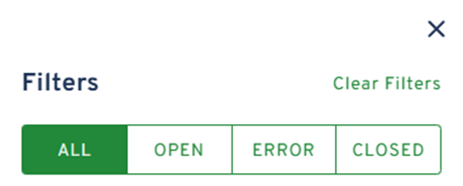
Click the Transaction type tab, then click Show Filters above the results table.
-
ALL
-
Returns all statuses
-
-
OPEN
-
- Scheduled
- Open
- ERROR
- Unconfirmed
- Cannot Book
- Needs Attention
- CLOSED
- Closed
- Canceled
- Expired